The 12 Best AI Tools for Data Analysis in 2026
Discover the best AI tools for data analysis to work smarter. Our curated list helps junior analysts automate repeatable tasks and scale their impact. Read now.
You know the drill: wrangling messy CSVs, enriching CRM records, and manually classifying open-ended survey responses. These repetitive tasks are essential but time-consuming, pulling you away from the strategic analysis where you add the most value. The traditional methods work, but they don't scale when you're under pressure to deliver insights faster. This is precisely the problem a new generation of AI platforms is built to solve.
This guide is designed to help you work smarter, not just harder. We've cut through the marketing noise to bring you a practical, in-depth look at the 12 best AI tools for data analysis. Whether you're a junior analyst in market research, a demand-gen specialist, or a VC associate screening deals, the goal is the same: automate the grind so you can focus on high-impact work. We assume you already know your job; our focus is on showing you the powerful new tools that can amplify your efforts.
We'll dive into each platform, providing a clear breakdown of its core strengths, ideal use cases, and key limitations. From prompt-driven batch processing in tools like Row Sherpa to the advanced BI capabilities of Power BI and Tableau, you'll get a clear picture of what each solution offers. Each review includes screenshots, direct links, and pricing details to help you quickly identify the right tool for your specific challenges. Let's explore the platforms that will help you turn tedious data prep into a fast, automated workflow.
1. Row Sherpa
Row Sherpa establishes itself as a powerful, specialized platform among the best AI tools for data analysis by focusing intently on one critical, often time-consuming task: processing large CSV files with consistent, repeatable AI prompts. It’s a purpose-built solution designed for operations specialists and junior analysts who need to enrich, classify, or extract data from thousands of rows without writing code or hitting API rate limits. Instead of a general-purpose chat interface, Row Sherpa provides a structured workflow for turning messy lists into validated, analysis-ready datasets.
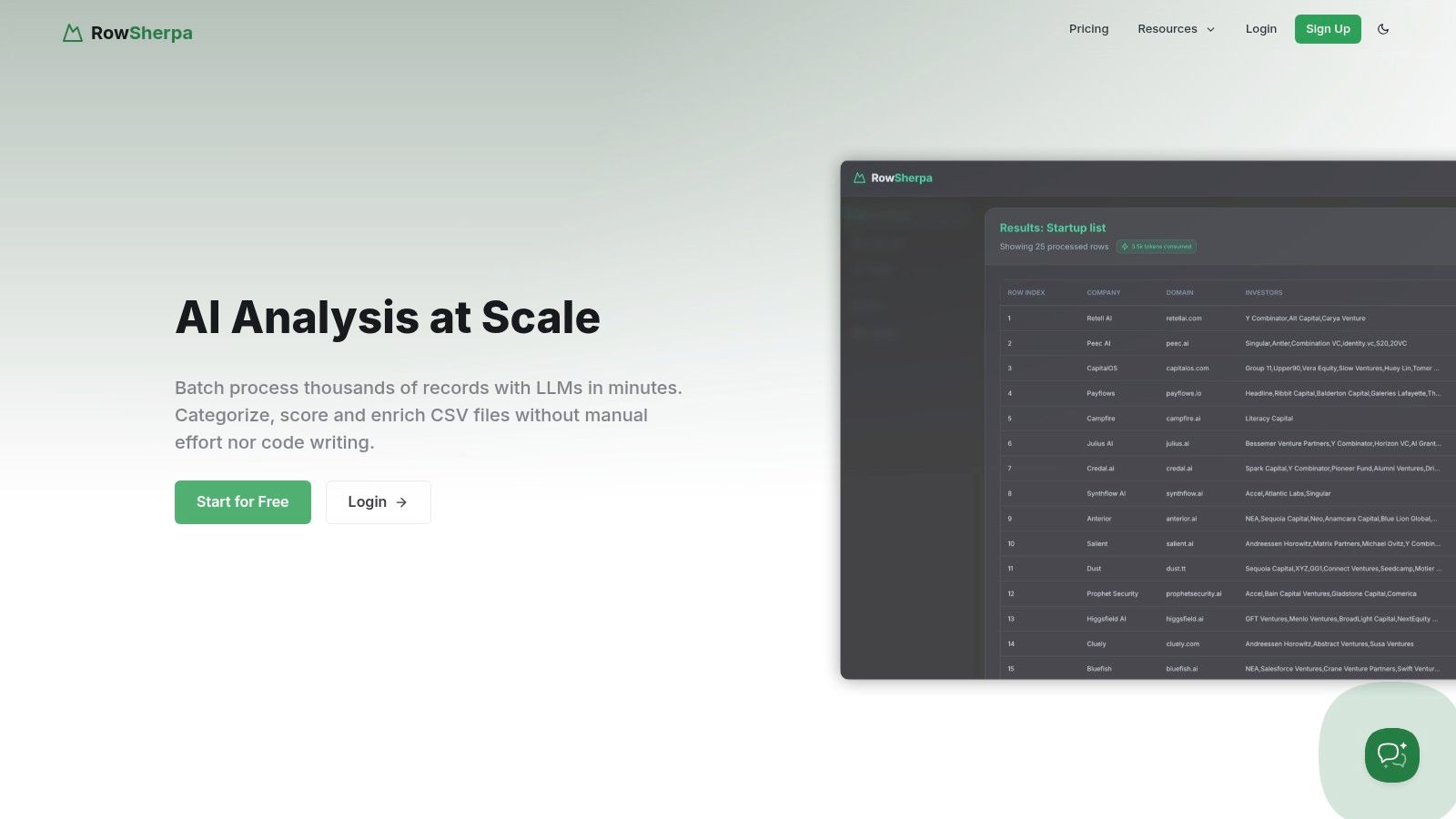
This platform excels where traditional spreadsheets and ad-hoc AI chats fall short. By enforcing a single, validated prompt and a defined output schema (JSON or CSV) across an entire dataset, it ensures that every result is structured, predictable, and ready for downstream systems like CRMs or BI tools. The asynchronous job processing means you can upload a file with 20,000 company names, run a job to classify their industry and find their headquarters, and receive a notification when the structured output is ready for download. For a deeper dive into modern techniques, you can explore their guides on leveraging AI for data analysis and other operational workflows.
Key Strengths & Practical Use Cases
Row Sherpa’s design directly addresses common bottlenecks faced by data-driven teams.
- For Sales Operations: Enrich lead lists from a conference by uploading a CSV of company names and using the live web search feature to find firmographics like employee count, industry, and recent funding news.
- For VC Analysts: Screen a pipeline of 1,000 startups against a specific investment thesis by running a prompt that classifies each company's business model, target market, and competitive standing.
- For Market Researchers: Standardize messy, user-submitted survey data by classifying free-text responses into a uniform taxonomy, making quantitative analysis straightforward.
The platform is API-first, meaning the user-friendly web interface is built on the same public API available to users. This dual approach allows non-technical team members to manage jobs manually while engineers can integrate the entire workflow into automated data pipelines.
Pricing and Platform Details
Row Sherpa offers a transparent, usage-based pricing model that scales with your needs.
| Plan | Price/Month | Rows Included | Web Search Rows | Key Feature |
|---|---|---|---|---|
| Free | $0 | 100 | 10 | Ideal for testing and small tasks |
| Starter | $49 | 5,000 | 250 | For small teams and regular projects |
| Premium | $149 | 15,000 | 750 | For growing operational needs |
| Pro | $449 | 30,000 | 1,500 | For high-volume, automated workflows |
Files and results are automatically deleted after 30 days for security, though job metadata is retained for auditing and re-running tasks. While the site currently lacks public case studies or third-party security certifications, its generous free tier allows teams to validate the tool’s effectiveness and fit for their specific data challenges before committing.
- Website: https://rowsherpa.com
2. Microsoft Power BI (Copilot in Power BI)
For teams already embedded in the Microsoft ecosystem, Power BI with its integrated Copilot experience is a powerhouse for governed, enterprise-level analytics. It leverages the familiar Microsoft 365 interface to make data analysis more accessible, allowing junior analysts and marketing specialists to move beyond static reports and interact directly with their data using natural language. You can ask questions like "What were our top 5 products by revenue last quarter in the EMEA region?" and Copilot will generate the corresponding visual on the fly.
This tool shines in its ability to assist with the more technical aspects of BI. For instance, it can help generate complex DAX (Data Analysis Expressions) formulas from a simple prompt, a task that often bottlenecks junior analysts. It also excels at creating narrative summaries of dashboards, transforming complex charts into digestible, text-based insights perfect for stakeholder emails or presentations.
Key Features & Use Cases
- Natural Language Q&A: Chat directly with your data to create visuals and uncover insights without writing code.
- DAX Generation: Copilot assists in writing and debugging complex DAX formulas, accelerating report development.
- Automated Narrative Summaries: Instantly generates text summaries of your dashboard pages, highlighting key trends and takeaways.
- Ideal Use Case: Best suited for market research teams and demand-gen specialists within organizations that use Microsoft Azure and 365. It provides a secure, governed environment for self-service analytics and reporting.
Pricing and Access
Access to Copilot in Power BI requires specific licensing. It is included for users with a Power BI Premium capacity (P1 or higher) or Fabric capacity (F64 or higher). Your organization's administrator must also enable Copilot in the Microsoft Fabric admin settings. This makes it a significant investment, often better suited for larger teams rather than individual users.
- Pros: Strong governance and security controls; seamless integration with the broader Microsoft Fabric and Azure ecosystem.
- Cons: Copilot features require premium licensing and tenant-level enablement, creating a higher barrier to entry.
Website: https://powerbi.microsoft.com
3. Tableau (AI features / Tableau Agent / Pulse)
For teams that prioritize best-in-class data visualization, Tableau enhances its powerful platform with generative AI capabilities. Built on Salesforce's Einstein Trust Layer, features like Tableau Pulse and Tableau Agent bring governed, explainable AI directly into the analytics workflow. This allows analysts to go beyond just building dashboards and start automatically surfacing key insights and receiving proactive updates in plain language, making data more accessible to business stakeholders.
Tableau's AI is designed to augment the user experience rather than completely automate it. For instance, you can use natural language to ask questions about your data, and the system will generate relevant visualizations. Tableau Pulse takes this further by delivering automated, personalized data digests via email or Slack, highlighting significant changes and trends without requiring users to log in and manually explore dashboards. This combination of guided analysis and proactive insights makes it one of the best AI tools for data analysis in enterprise environments.
Key Features & Use Cases
- Tableau Pulse: Delivers automated, plain-language insights and metric summaries directly to users, highlighting key business drivers.
- Tableau Agent: Offers generative AI assistance for building visualizations and performing calculations using natural language prompts.
- Einstein Trust Layer: Ensures that all AI interactions are secure and governed, preventing sensitive data exposure and maintaining trust.
- Ideal Use Case: Excellent for sales operations and growth teams that need to distribute trusted, easy-to-understand insights across the organization. Its market-leading visualization UX makes it a top choice for creating compelling, presentation-ready analytics.
Pricing and Access
Tableau's AI features are integrated into its existing licensing tiers, but full functionality often requires Tableau Cloud and may depend on specific versions or licenses. Access to Tableau Pulse and other Einstein-powered features is typically part of the Creator, Explorer, and Viewer licenses. However, your organization's administrator must enable these AI capabilities at the site level, which can involve configuration and permission settings.
- Pros: Market-leading visualization capabilities with a strong user community; enterprise-grade security and governance through the Einstein Trust Layer.
- Cons: AI features may require specific licensing and admin enablement, and functionality can differ between Tableau Cloud and Server deployments.
Website: https://www.tableau.com
4. Google Cloud Vertex AI + Gemini in BigQuery
For data teams operating within the Google Cloud Platform (GCP) ecosystem, the combination of Vertex AI and Gemini in BigQuery is a formidable pairing. It directly integrates powerful generative AI capabilities into the data warehouse, streamlining the entire analytics workflow from SQL generation to model deployment. This setup empowers junior analysts to tackle complex queries and understand intricate logic by simply asking Gemini to generate or explain SQL code in natural language.
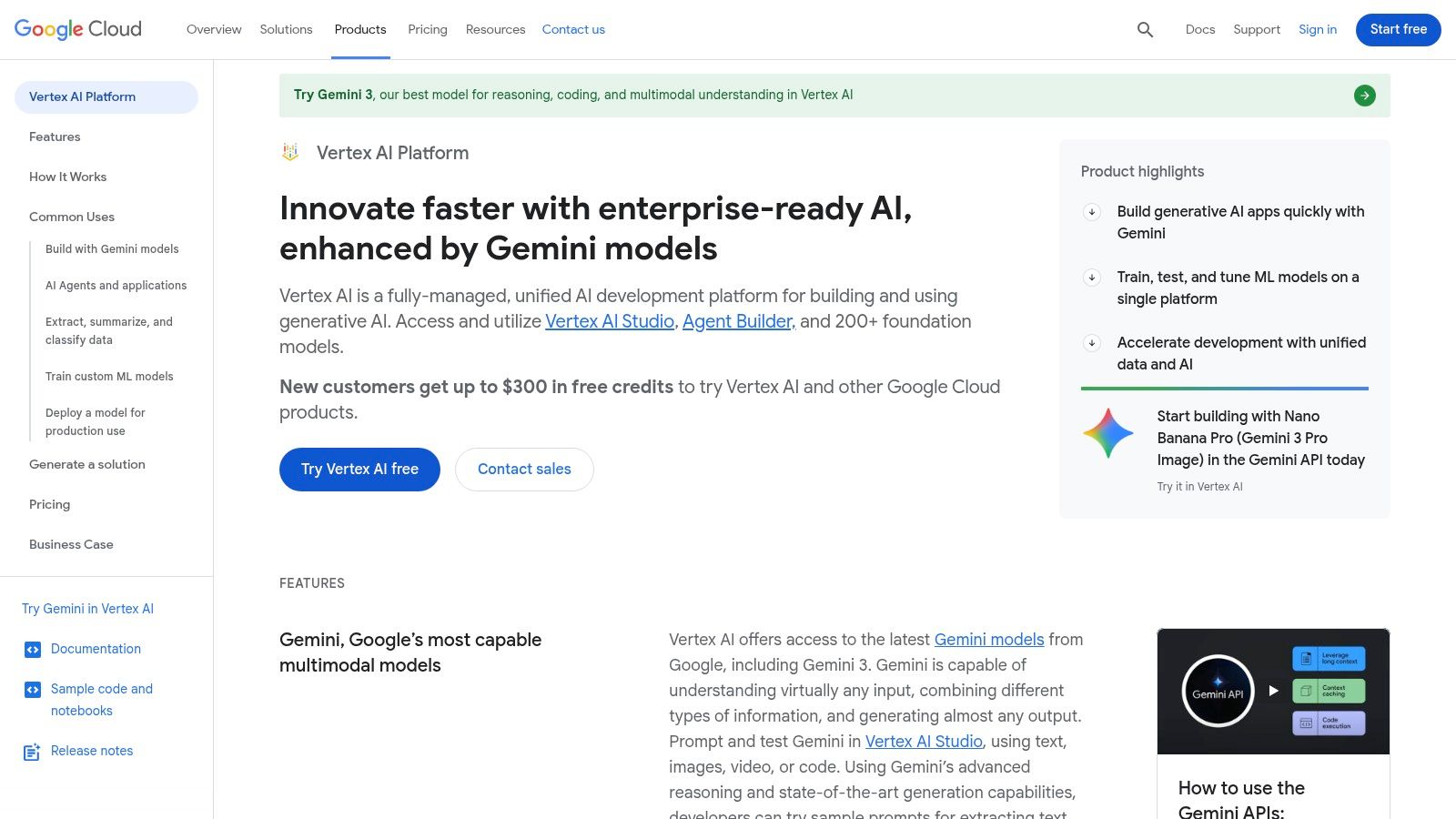
This platform excels at bridging the gap between data analytics and production-level machine learning. An analyst can use Gemini to quickly generate a complex SQL query for market segmentation, then seamlessly transition to Vertex AI to train a custom model on that data using AutoML or a managed notebook environment. This unified experience removes the friction often found when moving from exploratory analysis to building operational ML models, making it one of the best AI tools for data analysis on an enterprise scale.
Key Features & Use Cases
- Gemini in BigQuery: Use natural language to generate complex SQL, get code explanations, and build forecasting models directly within the data warehouse.
- Managed Model Catalog: Access and deploy Google's state-of-the-art models, including the Gemini family, for a wide range of tasks.
- Vertex AI Workbench & Notebooks: A fully managed notebook environment for data exploration, model development, and experimentation.
- Ideal Use Case: Perfect for VC analysts or data engineers in a GCP environment who need to accelerate SQL-based analysis and move quickly from insights to deploying custom machine learning models without leaving their cloud platform.
Pricing and Access
Vertex AI and BigQuery operate on a pay-as-you-go model with granular pricing for compute, storage, and per-token API calls to generative models. While generous free tiers exist for many components, cost management requires careful monitoring of usage across different services. Access to Gemini in BigQuery and specific Vertex AI features may need to be enabled by a project administrator.
- Pros: Tight integration with BigQuery and the broader Google ecosystem; transparent, granular pricing and accessible free tiers for initial use.
- Cons: Cost control requires active monitoring of per-token and compute billing; separate pricing and quotas for BigQuery and Vertex AI services can be complex.
Website: https://cloud.google.com/vertex-ai
5. Snowflake Cortex AI
For data teams that want to bring AI capabilities directly to their data without moving it, Snowflake Cortex AI is a game-changer. It integrates large language models (LLMs) and vector search functions natively within the Snowflake Data Cloud. This allows data analysts and engineers to run AI-powered analysis directly where their data lives, ensuring security, governance, and significantly reduced complexity. Instead of exporting data to an external tool, you can ask questions in natural language and get SQL queries generated on the spot.
This approach is powerful for building sophisticated applications like Retrieval-Augmented Generation (RAG) systems or simply accelerating day-to-day analytics. An analyst can use Cortex Analyst to translate a question like "Show me the 10 fastest-growing customer accounts in Q2" into a precise SQL query, saving valuable time. The Cortex Playground also lets teams compare different LLMs side-by-side using their own private data tables, making it one of the best AI tools for data analysis that prioritizes both power and security.
Key Features & Use Cases
- Cortex Analyst: A managed service that converts natural language questions into executable SQL queries against your Snowflake data.
- Cortex Search: Provides hybrid keyword and vector search capabilities ideal for building RAG applications on top of structured and unstructured data.
- Cortex Playground: An interface to test and compare various LLMs on your proprietary data in a secure, governed environment.
- Ideal Use Case: Perfect for data analysts and operations engineers in regulated industries (like finance or healthcare) who need to leverage AI for insights without data leaving their secure cloud warehouse.
Pricing and Access
Snowflake Cortex AI operates on a pay-as-you-go model, utilizing Snowflake credits. The cost is based on token usage, which can be nuanced to calculate and requires careful monitoring to manage expenses effectively. Access is tied to your Snowflake account, but the availability of specific features and models can be dependent on your cloud provider and region.
- Pros: Keeps data, governance, and AI in one unified platform, reducing data movement; features a growing catalog of models and built-in guardrails.
- Cons: The credit and token-based pricing model can be complex to forecast; feature rollout and availability vary by cloud region.
Website: https://www.snowflake.com
6. Databricks Data Intelligence Platform
For technical teams seeking to unify data engineering, machine learning, and analytics, the Databricks Data Intelligence Platform offers an end-to-end solution. It moves beyond simple dashboards by integrating AI directly into the data pipeline. This allows data analysts and engineers to invoke large language models directly within their SQL queries and ETL workflows using functions like ai_gen and ai_query, fundamentally changing how raw data is enriched and transformed.
The platform’s strength lies in its comprehensive governance and management tools built around its lakehouse architecture. With Unity Catalog, teams can manage access, lineage, and quality for both data and AI models in one place. This makes it one of the best AI tools for data analysis in regulated industries or large enterprises where security and a single source of truth are non-negotiable. It centralizes everything from data ingestion to model serving, creating a streamlined environment for complex analytical projects.
Key Features & Use Cases
- AI Functions in SQL: Use
ai_genandai_queryto apply generative AI models to data directly within ETL pipelines and SQL queries. - Unified Governance: Unity Catalog provides a single governance layer for all data and AI assets, ensuring security and compliance.
- Managed Model Serving: Simplifies deploying and scaling machine learning models, including LLMs, with serverless options for inference.
- Ideal Use Case: Best for data engineering and ML teams that need to build, deploy, and govern sophisticated AI-powered data pipelines at scale, from cleaning raw data to serving production models.
Pricing and Access
Databricks uses a consumption-based pricing model based on Databricks Units (DBUs), which vary depending on the compute resources used. This offers flexibility but requires careful planning and monitoring to manage costs effectively. Different pricing tiers (Standard, Premium, Enterprise) are available to suit various organizational needs for security and governance.
- Pros: A complete end-to-end platform for data and AI with powerful governance; serverless options simplify LLM deployment.
- Cons: The platform's complexity and consumption-based pricing can present a steep learning curve and require significant effort to optimize costs.
Website: https://www.databricks.com
7. OpenAI ChatGPT (Team/Enterprise) with Advanced Data Analysis
For business teams looking for a low-friction way to conduct quick exploratory data work, ChatGPT's Team and Enterprise plans offer a powerful and accessible entry point. The platform's Advanced Data Analysis feature provides a conversational environment where users can upload files (like CSVs or spreadsheets) and ask for analysis, visualizations, or data transformations in plain English. This is ideal for tasks like quickly summarizing customer feedback or prototyping a data visualization before building it in a dedicated BI tool.
What makes ChatGPT one of the best AI tools for data analysis in this context is its Python-backed workspace, which can execute code to perform complex calculations, merge datasets, and generate charts on command. For business users, this abstracts away the need to code while still providing the power of a programming language. It empowers junior analysts to rapidly test hypotheses or clean small datasets without needing to rely on a data engineering team for support.
Key Features & Use Cases
- Advanced Data Analysis: Upload files (CSV, XLSX, PDF) and use natural language prompts to have Python code generated and executed for analysis and visualization.
- Team & Enterprise Controls: Provides essential admin features like SSO, workspace management, and privacy assurances that your data will not be used for training models.
- Custom GPTs & Connectors: Build custom, purpose-built "GPTs" for specific recurring tasks or connect to external data sources to enrich your analysis.
- Ideal Use Case: Excellent for rapid prototyping, ad-hoc data exploration, and document analysis by business teams. It's particularly useful for junior market researchers who need to quickly classify qualitative data from surveys or reports; for more structured, large-scale tasks, you can learn how to classify large CSVs with LLMs using more scalable tools.
Pricing and Access
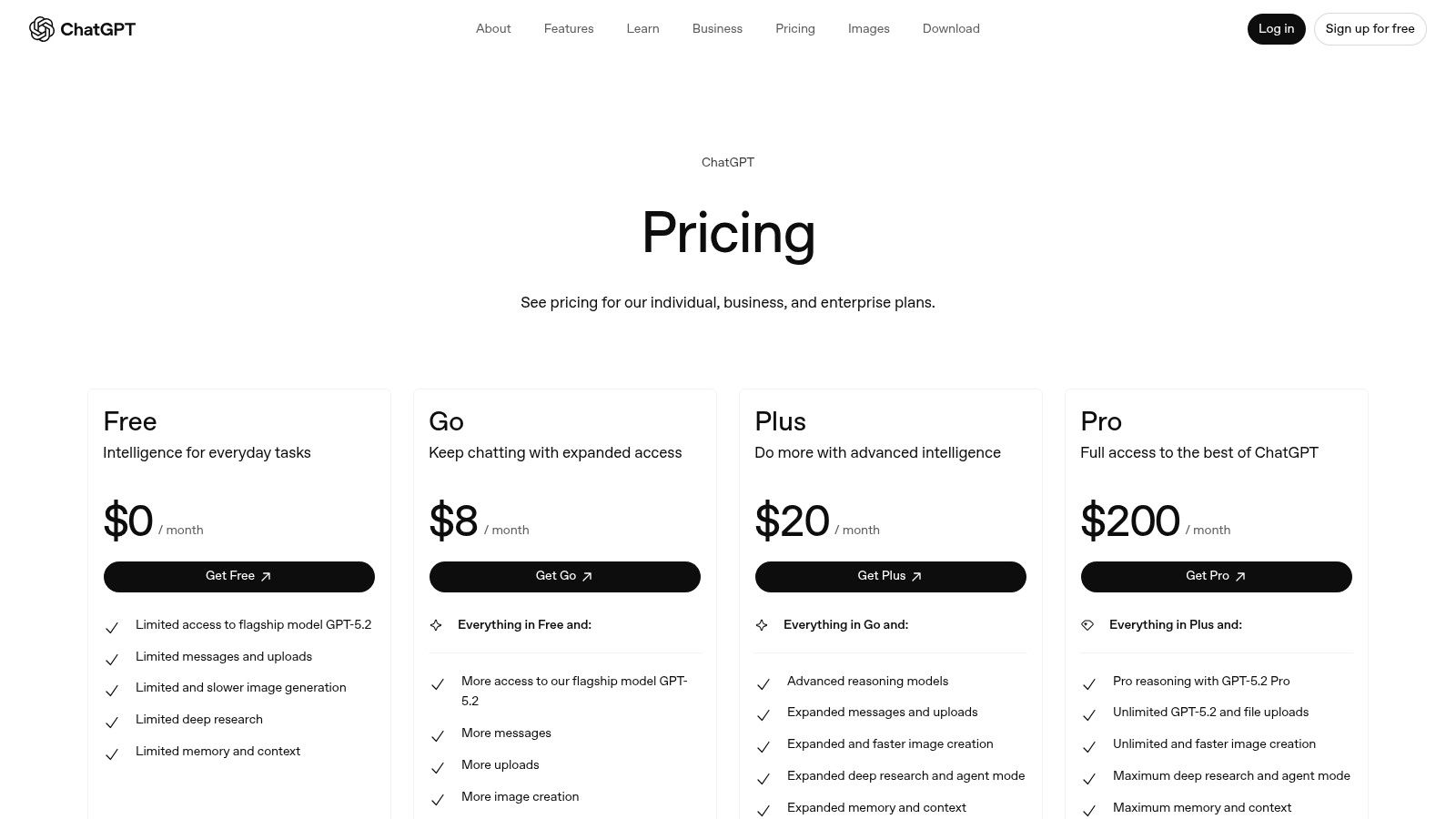
ChatGPT offers various tiers, with Advanced Data Analysis available on paid plans. The Team and Enterprise plans are priced per user and include higher message limits, faster performance, and critical administrative and security features. Team plans are billed monthly or annually, providing a collaborative workspace, while Enterprise pricing is customized based on organizational needs and offers unlimited usage and enhanced security.
- Pros: Extremely intuitive and accessible for non-technical users; consistent user interface across web and mobile platforms.
- Cons: Not a full-fledged BI solution; lacks the robust data governance, lineage, and version control of warehouse-native platforms.
Website: https://openai.com/chatgpt/pricing
8. AWS Marketplace (AI, Analytics, and ML Software)
For technical teams operating within an AWS environment, the AWS Marketplace is less a single tool and more a strategic procurement hub. It provides a massive software catalog where you can discover, test, and deploy third-party data, analytics, and AI tools. This approach is invaluable for standardizing how your organization acquires new software, ensuring everything integrates with existing AWS billing, governance, and security protocols like IAM and VPC. It streamlines the often-chaotic process of vetting and onboarding new vendors.
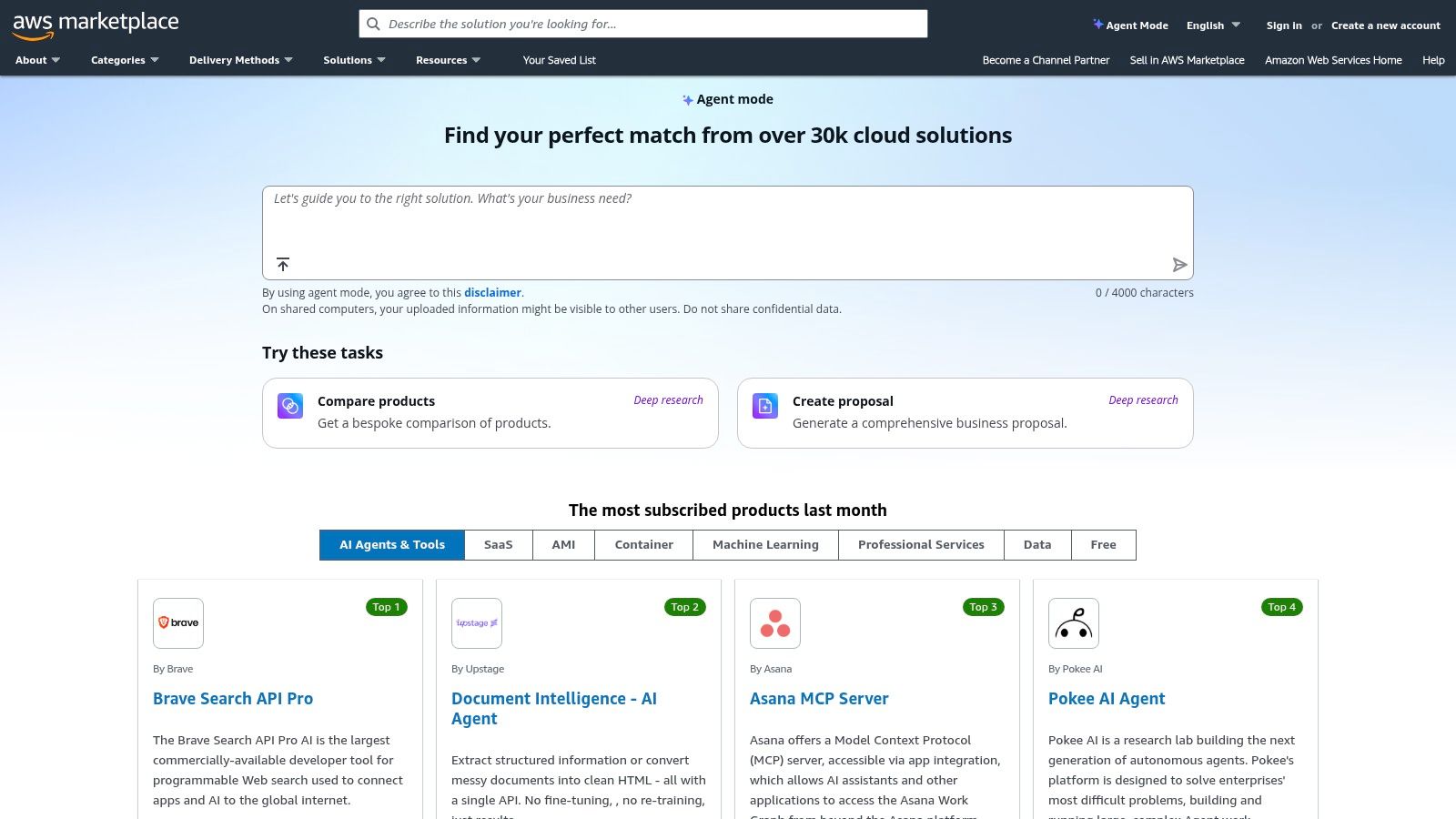
The marketplace simplifies the discovery of specialized AI models and data analytics platforms that can be deployed with one click. Instead of lengthy procurement cycles, a data analyst can find a pre-trained sentiment analysis model, deploy it via a SageMaker endpoint, and start processing customer feedback data within hours, not weeks. This rapid deployment capability makes it one of the best AI tools for data analysis when speed and compliance are paramount.
Key Features & Use Cases
- Curated AI/ML Listings: A vast selection of pre-built algorithms, machine learning models, and full-stack analytics platforms.
- Consolidated AWS Billing: All software subscriptions and usage-based charges are rolled into your existing AWS bill.
- One-Click Deployment: Many tools can be deployed directly into your AWS account, often via SageMaker, EC2, or containers.
- Ideal Use Case: Best for data operations engineers and analysts in AWS-native companies who need to quickly and securely test or deploy specialized third-party tools without complex procurement hurdles.
Pricing and Access
Pricing is highly variable as it is set by the individual third-party vendors on the marketplace. Models range from free trials and pay-as-you-go usage to annual subscriptions and private offers for enterprise clients. Access is available to any user with an AWS account, though deployment may require specific IAM permissions from an administrator.
- Pros: Fast, compliant procurement that integrates with AWS security patterns; a broad choice of vendors with flexible pricing.
- Cons: The sheer breadth of the catalog can be overwhelming and requires careful evaluation; pricing and deployment models vary by vendor.
Website: https://aws.amazon.com/marketplace
9. Hex
Hex is a collaborative data science and analytics platform designed to bridge the gap between ad-hoc analysis in notebooks and polished, interactive data apps. It empowers data teams to move seamlessly from exploration to production, combining SQL, Python, and no-code elements in a unified workspace. For junior analysts, Hex Magic, its AI assistant, accelerates workflows by generating and debugging code, creating visualizations, and even summarizing analytical findings.
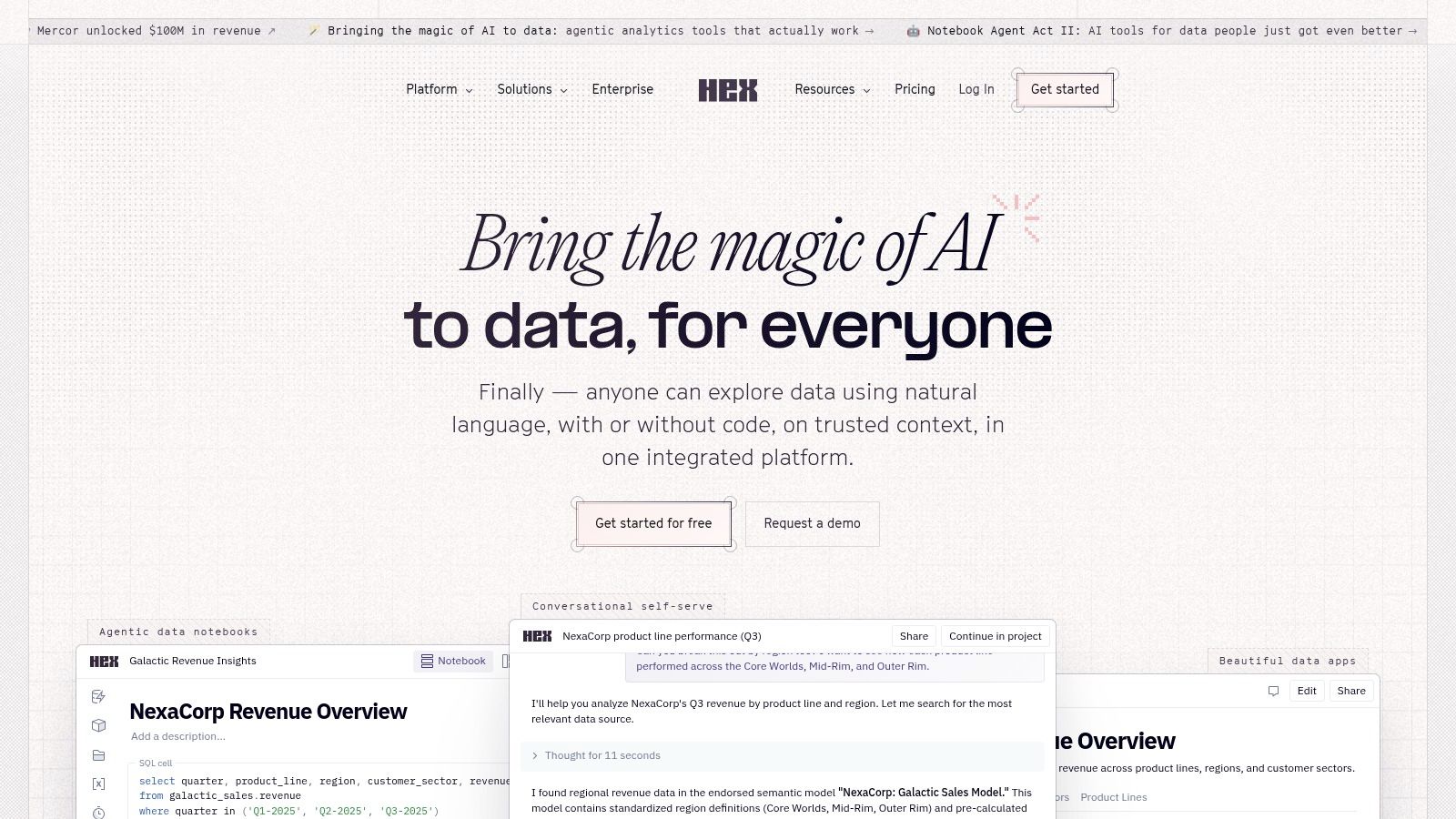
The platform's standout feature is its ability to turn a messy notebook into a clean, shareable web application with just a few clicks. This is invaluable for VC analysts building a quick proof-of-concept model or market researchers presenting interactive findings to stakeholders. It centralizes the entire data workflow, from initial data cleaning to the final report, making it one of the best AI tools for data analysis for teams needing both speed and collaboration.
Key Features & Use Cases
- Hex Magic AI: Provides AI assistance for code generation, debugging, visualization creation, and summarizing analysis directly within the notebook.
- Collaborative Notebooks: Allows real-time collaboration with SQL and Python, featuring notebook threads and workspace governance.
- Publishable Interactive Apps: Turn analysis into interactive web apps that stakeholders can use without seeing the underlying code.
- Ideal Use Case: Excellent for small-to-medium analytics teams building internal tools, proofs-of-concept, and interactive reports. It's particularly useful for growth teams at startups that need to iterate on data products quickly.
Pricing and Access
Hex offers a clear, seat-based pricing model with Team and Enterprise plans, including a trial to evaluate its features. While the per-seat cost is straightforward, it's important to note that advanced compute resources, such as GPUs or larger memory instances, are billed separately on a per-minute or per-hour basis. This means costs can increase for teams running computationally heavy workloads.
- Pros: Strong collaboration features and a rapid path from notebook to shareable data app; clear per-seat pricing.
- Cons: Heavier compute workloads can significantly increase costs beyond the base seat pricing, requiring careful resource management.
Website: https://hex.tech
10. Observable
Observable is a collaborative data canvas designed for teams who need to move beyond static charts and build interactive, shareable data applications. It combines the flexibility of notebooks with the polish of dashboards, creating an ideal environment for exploratory analysis and rapid prototyping. The platform's AI Assist feature acts as a coding partner, helping analysts generate and debug SQL and JavaScript, which lowers the barrier for creating complex, custom visualizations.
This tool excels where the story behind the data is as important as the data itself. Its real-time multiplayer editing allows data, marketing, and sales teams to work together on an analysis, much like a Google Doc. You can build a data app that lets non-technical stakeholders tweak parameters and see the results instantly, making it one of the best AI tools for data analysis when transparency and collaboration are key.
Key Features & Use Cases
- AI Assist: Generate, explain, and debug SQL and JavaScript code with natural language prompts directly within your notebooks.
- Collaborative Canvases: Real-time, multiplayer editing for teams to build reports and dashboards together.
- Direct Data Connectors: Natively connect to modern data warehouses like Snowflake, BigQuery, and Postgres, eliminating the need for data exports.
- Ideal Use Case: Perfect for data analysts and operations engineers who need to create custom, interactive data visualizations or "data apps" for stakeholders. It’s also great for prototyping complex analytical models before full-scale development.
Pricing and Access
Observable offers a free tier for individuals and small teams. The Pro plan ($12/editor/month) adds private projects, and the Enterprise plan provides advanced security, governance, and dedicated support. For AI Assist, users on free or pro plans may need to provide their own OpenAI API key, while enterprise plans can include AI credits.
- Pros: Exceptional for creating interactive and explainable data apps; vibrant community with thousands of templates to accelerate work.
- Cons: Enterprise pricing is not public; AI token usage might require bringing your own API key on lower-tier plans.
Website: https://observablehq.com
11. DataRobot
DataRobot is an enterprise-grade AI platform designed for organizations that require robust governance, monitoring, and full lifecycle management of their AI and machine learning models. It goes beyond simple data analysis by providing a unified environment for predictive, generative, and agentic AI, making it one of the best AI tools for data analysis in regulated industries like finance and healthcare. This platform allows teams to build, deploy, and manage sophisticated AI applications in a secure, multi-cloud environment.
The platform stands out by offering a comprehensive suite that includes managed notebooks, an AI agent workforce, and real-time observability to track model performance and cost. For junior analysts in VC or market research, its pre-built app suites and industry templates provide a significant head start. Instead of building models from scratch, they can leverage these templates to accelerate time-to-value for complex tasks like demand forecasting or customer churn prediction.
Key Features & Use Cases
- Managed AI Lifecycle: Provides a unified platform to build, deploy, monitor, and manage AI models from development to production.
- AI Observability: Delivers real-time intervention capabilities, cost monitoring, and performance tracking across all deployed AI assets.
- Pre-built Industry Templates: Accelerates deployment with ready-to-use application suites for common use cases in finance, retail, and manufacturing.
- Ideal Use Case: Best for large enterprises and regulated teams that need a governed, auditable, and scalable AI platform. It is particularly useful for data science teams managing a diverse portfolio of machine learning models.
Pricing and Access
DataRobot is an enterprise-focused solution, and its pricing is not publicly listed. Access requires contacting their sales team for a custom quote and solution design. Due to its comprehensive nature, a significant implementation and onboarding effort is typically required, making it a better fit for well-resourced data science departments rather than individuals or small teams.
- Pros: Strong governance, monitoring, and observability; industry-specific templates and key integrations (e.g., SAP, Google Cloud) speed up deployment.
- Cons: Enterprise-oriented pricing model requires direct sales contact; implementation and configuration require dedicated resources.
Website: https://www.datarobot.com
12. G2 Software Marketplace (AI and Analytics Categories)
When the goal is less about using a single tool and more about discovering the right one for a specific job, a software marketplace is indispensable. G2 serves as a comprehensive discovery engine, helping analysts navigate the crowded landscape of AI and data analytics products. It provides an organized way to compare tools, read peer reviews, and understand the nuances of different software categories without having to visit dozens of individual vendor sites.
This platform is particularly useful for building a shortlist of potential solutions. You can filter by company size, user satisfaction scores, and specific features, allowing you to quickly narrow down the options from enterprise-level BI platforms to niche data enrichment APIs. Its comparison grids and "Best Of" rankings provide a structured starting point for your research, making it one of the best ways to find AI tools for data analysis that fit your exact needs.
Key Features & Use Cases
- Up-to-Date Category Listings: Browse curated categories for AI, Business Intelligence, MLOps, and data governance to find relevant software.
- Verified User Reviews: Access feedback from real users to understand a tool's practical strengths and weaknesses beyond marketing claims.
- Buyer Guides and Comparisons: Use detailed guides and side-by-side comparison grids to evaluate and shortlist tools across various niches.
- Ideal Use Case: Excellent for market research analysts or operations managers tasked with evaluating and procuring new software. It streamlines the initial discovery and vendor-vetting phase of a new project.
Pricing and Access
G2 is a free-to-use resource for software buyers. Its revenue comes from vendors who pay for enhanced profiles, lead generation, and market intelligence reports. Users can browse reviews, create comparison grids, and access buyer guides without any cost or subscription, making it a highly accessible first stop for any tool evaluation process.
- Pros: Quick way to shortlist tools across various niches; buyer-friendly interface with direct links to vendor product pages for trials and purchases.
- Cons: Review quality can vary, so due diligence is still required; you must validate vendor claims independently with product trials.
Website: https://www.g2.com/categories/artificial-intelligence
Top 12 AI Data-Analysis Tools — Feature Comparison
| Product | ✨ Core features | ★ UX / Quality | 💰 Pricing & value | 👥 Target audience | 🏆 Best fit / USP |
|---|---|---|---|---|---|
| Row Sherpa (🏆) | Batch LLM prompt runner for CSV → validated JSON/CSV; async jobs; optional live web search | ★★★★★ predictable, no-code + API | 💰 Free → Starter $49 → Pro $449/mo; clear row/token limits | 👥 Junior analysts, sales ops, VC analysts | 🏆 Scalable, repeatable CSV enrichment & taxonomy enforcement |
| Microsoft Power BI (Copilot) | NL Q&A, Copilot-assisted DAX, Fabric integration | ★★★★ familiar for M365 users; governed | 💰 Microsoft licensing; premium capacity may be required | 👥 Enterprise BI teams on M365/Azure | Best for governed analytics inside Microsoft Fabric |
| Tableau (Agent / Pulse) | AI Q&A, narrative Pulse, Tableau Agent, Einstein Trust Layer | ★★★★ market-leading viz UX | 💰 License/version dependent; premium features need enablement | 👥 Analysts needing top-tier visualization & governance | Best for visual analysis with explainable AI & templates |
| Google Vertex AI + Gemini in BigQuery | Gemini-assisted SQL, managed models, BQML forecasting | ★★★★ strong warehouse-native experience | 💰 Per-token + compute; granular pricing | 👥 GCP-native data teams, ML engineers | Best for model hosting and generative SQL in BigQuery |
| Snowflake Cortex AI | Text-to-SQL, hybrid search, Cortex Playground | ★★★★ keeps AI close to warehouse | 💰 Token/credit pricing; region-dependent rollouts | 👥 Data engineers, governance-focused teams | Best for warehouse-native LLMs with governance |
| Databricks Data Intelligence | ai_gen/ai_query, notebooks, Unity Catalog | ★★★★ end-to-end data+ML platform | 💰 DBU-based; compute & config impact cost | 👥 Teams unifying ETL, ML and analytics | Best for integrated lakehouse + model lifecycle |
| OpenAI ChatGPT (Adv. Data Analysis) | File uploads, Python-backed ADA, connectors, custom GPTs | ★★★★ very low friction for ad-hoc analysis | 💰 Team/Enterprise tiers; check usage limits | 👥 Business analysts, rapid prototyping teams | Best for quick exploratory analysis & prototyping |
| AWS Marketplace | Curated AI/analytics listings; one-click deploy to AWS | ★★★ variable by vendor; procurement-friendly | 💰 Vendor pricing; consolidated AWS billing | 👥 Procurement, AWS-centric teams | Best for finding/deploying third‑party AI tools on AWS |
| Hex | Collaborative notebooks, AI assistants (Magic), apps & scheduling | ★★★★ strong collaboration → apps | 💰 Seat pricing + compute costs for heavy workloads | 👥 Small–mid analytics teams building apps | Best for notebook → shareable app workflows |
| Observable | Interactive notebooks/canvases, AI Assist for SQL/JS | ★★★★ excellent viz & prototyping UX | 💰 Free → Team/Enterprise (some enterprise pricing opaque) | 👥 Visualization-first teams, prototypers | Best for explainable interactive visualizations |
| DataRobot | Managed notebooks, AI observability, industry templates | ★★★★ enterprise-grade governance & monitoring | 💰 Enterprise pricing — contact sales | 👥 Regulated industries & MLops teams | Best for regulated, monitored ML deployments |
| G2 (Software Marketplace) | Reviews, buyer guides, category rankings | ★★★ useful for shortlisting and social proof | 💰 Free to browse; vendor trials via links | 👥 Buyers researching software options | Best for vendor discovery, reviews & comparisons |
Choosing the Right Tool for Your Workflow
The landscape of data analysis is shifting beneath our feet, moving from manual, query-driven processes to an AI-augmented partnership. We've explored a dozen of the best AI tools for data analysis, from enterprise-grade platforms like Snowflake Cortex AI and Databricks to versatile BI solutions like Power BI and Tableau. Each offers a unique pathway to transforming raw data into strategic assets, but the most powerful tool is ultimately the one that seamlessly integrates into your specific daily grind.
The core takeaway is this: there is no single "best" tool, only the tool that best solves your most repetitive, time-consuming data challenges. Your goal isn't just to adopt AI; it's to strategically eliminate friction from your workflow so you can dedicate more time to high-impact analysis and decision-making.
How to Select Your AI Data Analysis Partner
Making the right choice requires a clear-eyed assessment of your team's primary tasks and technical comfort level. You already know your job; the key is to pinpoint where the manual work is holding you back and apply the right technology to that specific problem. Consider these critical factors:
-
Task Type and Frequency: Is your primary need ad-hoc, exploratory analysis, or is it high-volume, repetitive data processing?
- For exploratory analysis and one-off visualizations, a BI tool with integrated AI like Power BI's Copilot or Tableau's Pulse is a fantastic starting point. They excel at answering novel questions in natural language.
- For repetitive, structured tasks like enriching hundreds of CRM leads, categorizing market research responses, or screening deal flow against a fixed thesis, a dedicated batch processing tool like Row Sherpa is purpose-built for the job. It delivers the consistency and scale needed for operational workflows.
-
Data Structure and Desired Output: What does your data look like, and what do you need it to become?
- If you're working within a massive, structured data warehouse, tools like Snowflake Cortex AI or Gemini in BigQuery bring the AI directly to your data, minimizing data movement and leveraging the full power of your existing infrastructure.
- If your world revolves around CSVs and spreadsheets, prioritize tools that offer a simple, predictable path from a messy CSV input to a clean, structured JSON or CSV output. This is where tools designed for operational teams shine.
-
Technical Skill and Team Composition: Who will be using the tool?
- Junior analysts, marketing specialists, and RevOps managers benefit from low-code or no-code interfaces that rely on natural language prompts.
- Data engineers and dedicated data science teams will gravitate toward more powerful, code-first environments like Hex or Databricks, which offer greater customization and control over complex models.
From Analysis to Action: The Path Forward
The true value of these AI tools isn't just in the analysis they produce; it's in the operational efficiency they create. Think about the most tedious part of your week. Is it cleaning and standardizing lead lists? Manually applying a taxonomy to survey data? Sifting through company descriptions to see if they fit your investment criteria?
These are the exact bottlenecks that modern AI is designed to break. By identifying your biggest workflow constraint, you can choose a tool that doesn't just give you insights but gives you back your time. The right AI tool transforms you from a data processor into a data strategist, empowering you to focus on the "why" behind the numbers, not just the "how" of cleaning them.
Ready to eliminate the manual grind of processing lead lists, market research data, or investment pipelines? Row Sherpa is built for the repeatable, high-volume data tasks that slow you down, turning your complex prompts into clean, structured CSV and JSON outputs at scale. Try Row Sherpa and see how you can automate your most tedious data work today.