Building a batch processing pipeline to classify large CSV files with LLMs
A practical approach: batch jobs, chunking, retries, and streaming results—so you can process 10k–1M rows reliably.
If you’ve tried to “just send a CSV to an LLM,” you’ve seen the failure modes: timeouts, rate limits, partial outputs, and a lot of manual cleanup. The fix is not a better prompt—it's a batch-processing architecture that treats LLM calls like unreliable, metered compute.
This guide walks through the pattern that works reliably for 10k to 1M rows, and how to implement it (or use it) without building a whole data pipeline.
Why CSV + LLM pipelines fail in production
1) Timeouts and request limits
A full CSV often exceeds:
- HTTP request limits (payload size, duration)
- serverless execution time limits
- gateway timeouts
Even if you upload the file successfully, processing it synchronously is brittle.
2) Rate limits and bursts
LLM APIs enforce per-minute quotas and concurrent request limits. A “for loop” over rows will:
- spike requests
- trigger rate-limit errors
- force you to add complex backoff logic
3) Non-deterministic output
Even with structured output, models can:
- hallucinate fields
- vary formatting
- omit required keys
- produce invalid JSON
At small scale you can manually fix it. At 50k rows, you can’t.
The architecture that works: jobs, chunks, and streaming
The robust pattern looks like this:
- Create a job (metadata + config: prompt, schema, model, options)
- Upload the CSV (separately from processing)
- Start the job (server validates CSV, splits into chunks, enqueues processing)
- Process chunks in the background (concurrency-limited, retryable)
- Stream partial results as they arrive
- Download final merged output when complete
This makes failures recoverable and user experience dramatically better.
Step-by-step: building a reliable CSV→LLM classifier
Step 1 — Treat ingestion and processing as two separate steps
Don’t do “upload + process” in one request.
Do:
POST /jobs→ returnsjob_id+upload_url- Upload file to
upload_url POST /jobs/{job_id}/start→ begins processing
This avoids timeouts and makes job state explicit.
Step 2 — Chunk by rows, not by tokens
Chunk size should be selected by:
- average row size
- model context window
- desired latency of partial results
Good starting points:
- 25–100 rows per chunk for “web-enriched” workflows
- 100–500 rows per chunk for pure classification
Avoid trying to pack “as much as possible” per request. Smaller chunks give better retries and faster feedback.
Step 3 — Add concurrency caps
Parallelize, but don’t overload your LLM quota.
A practical starting point:
- 3–10 concurrent chunks (depends on plan/quota)
- dynamic backoff on rate-limit errors (429)
If you’re multi-tenant, enforce per-user concurrency caps.
Step 4 — Make outputs schema-first
If your output needs to be usable, define:
- required fields
- types
- constraints (enums, min/max)
- “strict mode” if available
Then implement:
- JSON parsing
- schema validation
- automatic repair + retry (with a bounded retry count)
A simple policy that works:
- attempt 1: normal
- attempt 2: “return valid JSON only, no prose”
- attempt 3: fallback to extracting best-effort + mark row as failed
Step 5 — Record per-row metadata for debugging
At scale, you need traceability. Keep minimal metadata columns:
row_id/row_indexchunk_idstatus(ok/failed)error_message(if any)model,tokens_used(optional)
This is how you debug “why row 18492 failed” without re-running everything.
Step 6 — Stream results while processing
Users hate waiting with no feedback. Streaming makes your product feel instantaneous.
Two good options:
- NDJSON stream (one JSON per line) for programmatic clients
- periodic polling for UI clients
Then provide:
GET /jobs/{job_id}/results/streamGET /jobs/{job_id}/results/download
Streaming also enables “stop early” behavior (“I already have enough results”).
Step 7 — Support resume / retry of failed chunks
Failures happen (model hiccup, transient network, rate limit). The system should:
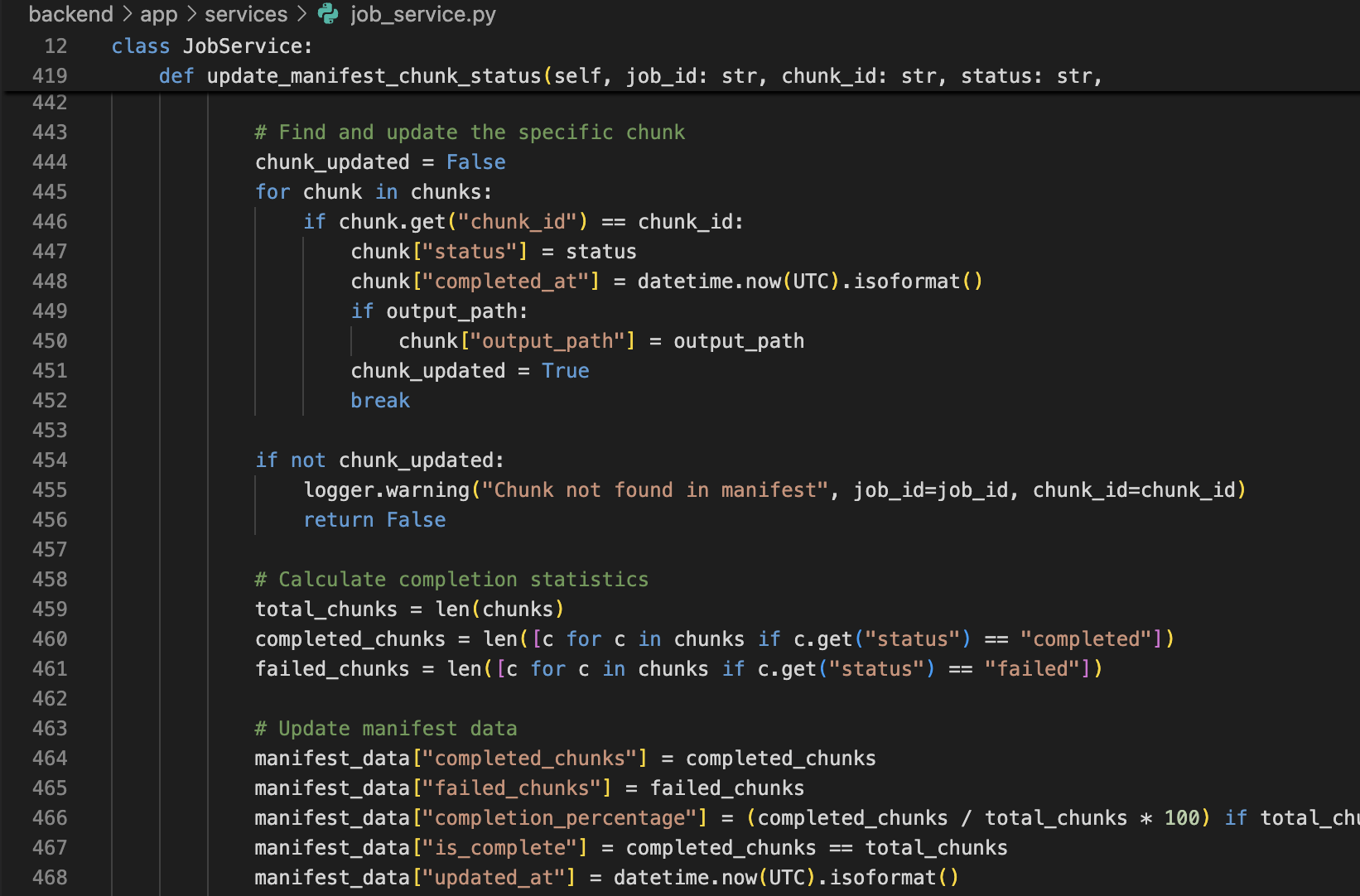
- keep a manifest of chunks
- mark chunk states
- allow resuming only the failed parts
This turns “a failed 50k run” into “retry 3 chunks”.
A minimal API flow (example)
# Create job
curl -X POST "https://api.rowsherpa.com/api/v1/jobs/" \
  -H "Content-Type: application/json" \
  -H "Authorization: Bearer <JWT>" \
  -d '{
    "filename": "companies.csv",
    "name": "Market Research - January",
    "columns_hint": ["Company", "Website"],
    "prompt_template": "Classify the company based on the row data.",
    "schema_hint": {"segment":"string","confidence":"number","rationale":"string"}
  }'
# Start processing
curl -X POST "https://api.rowsherpa.com/api/v1/jobs/<job_id>/start?model=gpt-4o" \
  -H "Authorization: Bearer <JWT>"
Practical defaults you can adopt immediately
- Chunk size: 200 rows
- Concurrent chunks: 5
- Retries: 2
- Output: schema-first JSON
- UX: stream partial results + final download
Want this without building it?
This is exactly what RowSherpa provides: batch jobs, chunking, retries, and streaming results out of the box—so you can focus on prompts and schemas instead of plumbing.
Try RowSherpa for free to see how it works: signup here.